HCI Design and Developer Support
Project Swan and PICO OS 6 represent the next-generation PICO XR flagship experience, launching globally in 2026. The video below is a developer tutorial for UI/UX and Interaction Design that showcases my core contributions to the HCI design of this new ecosystem. My work primarily focused on pioneering Eye-Hand Interaction and establishing a robust multi-modal interaction framework.
Demonstration of Project Swan and OS 6 features.
A New 3D Interaction Paradigm for Spatial Applications
PICO OS 6 introduces a more unified set of foundational "3D Object Interaction" capabilities at the interaction level: from interaction conditions (making objects hittable by the interaction system) to interaction actions (Tap/Drag/Scale/Rotate/Pointer), and finally to interaction effects (highlighting, moving, scaling, rotating, momentum poking). It provides a unified input paradigm to cover eye tracking, hand gestures, and controllers. Under the same SpatialView + Compose input framework, it simultaneously supports hand gestures, gaze coordination, controller rays, and pointer-based inputs. Furthermore, it uses a finer-grained interaction type (InteractionKind) to distinguish how different input methods trigger the same type of interaction action.
The goal of these capabilities is clear: to enable developers to build more intuitive and natural interaction experiences with fewer branches and a more consistent input model. This is especially true for scenarios requiring frequent manipulation of 3D content (model viewing, content editing, spatial UI, display interactions), where it can significantly reduce accidental touches and fatigue, while improving overall feel and predictability.
Highlights
- Unified Interaction Condition Specification: Uses
CollisionComponent+InteractableComponentto uniformly define an entity's hittable range and interactive state, ensuring consistent and predictable hit and response behaviors. - Unified Multi-modal Input Paradigm: Uses
Modifier.pointerInputonSpatialViewas a unified entry point, covering eye tracking, hand gestures, and controller inputs, making it easy to reuse the same object rules, feedback rules, and interaction semantics. - Core Interaction Action Coverage: Provides core interface capabilities starting with
detectSpatial(Tap/Drag/Scale/Rotate/PointerEvent) to cover selecting, grabbing and moving, two-handed scaling, two-handed rotating, and lower-level pointer event extensions. - Multi-source Interaction Type Differentiation: Distinguishes interaction sources (DirectPinch / Poke / GazePinch / RayBasedPinch / Pointer) through the
interactionKindproperty within the same action interface. This allows the same action to express different semantics (e.g., drag can be used for pinch-to-move or poke-to-rotate). - Enhanced Rotation Experience: Supports modes like delayed rotation and momentum rotation, providing a more continuous and natural interaction feel for large-angle and multi-turn rotation scenarios.
Interaction Conditions: Making 3D Objects "Touchable and Responsive"
In spatial applications, not all entities are directly manipulable by the user by default. To make a 3D object support basic interactions like "tapping/pinching/poking", two conditions must be met:
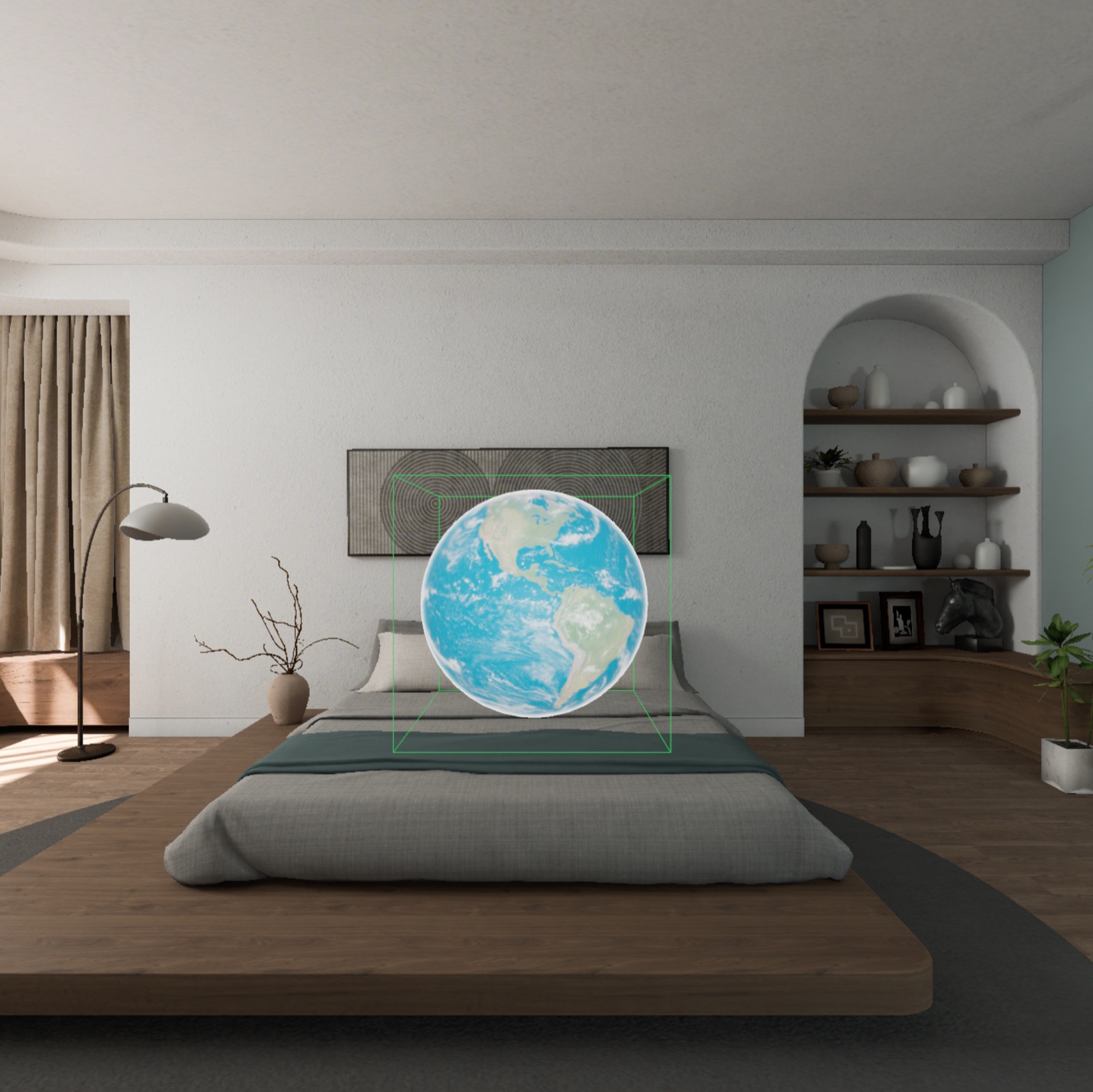
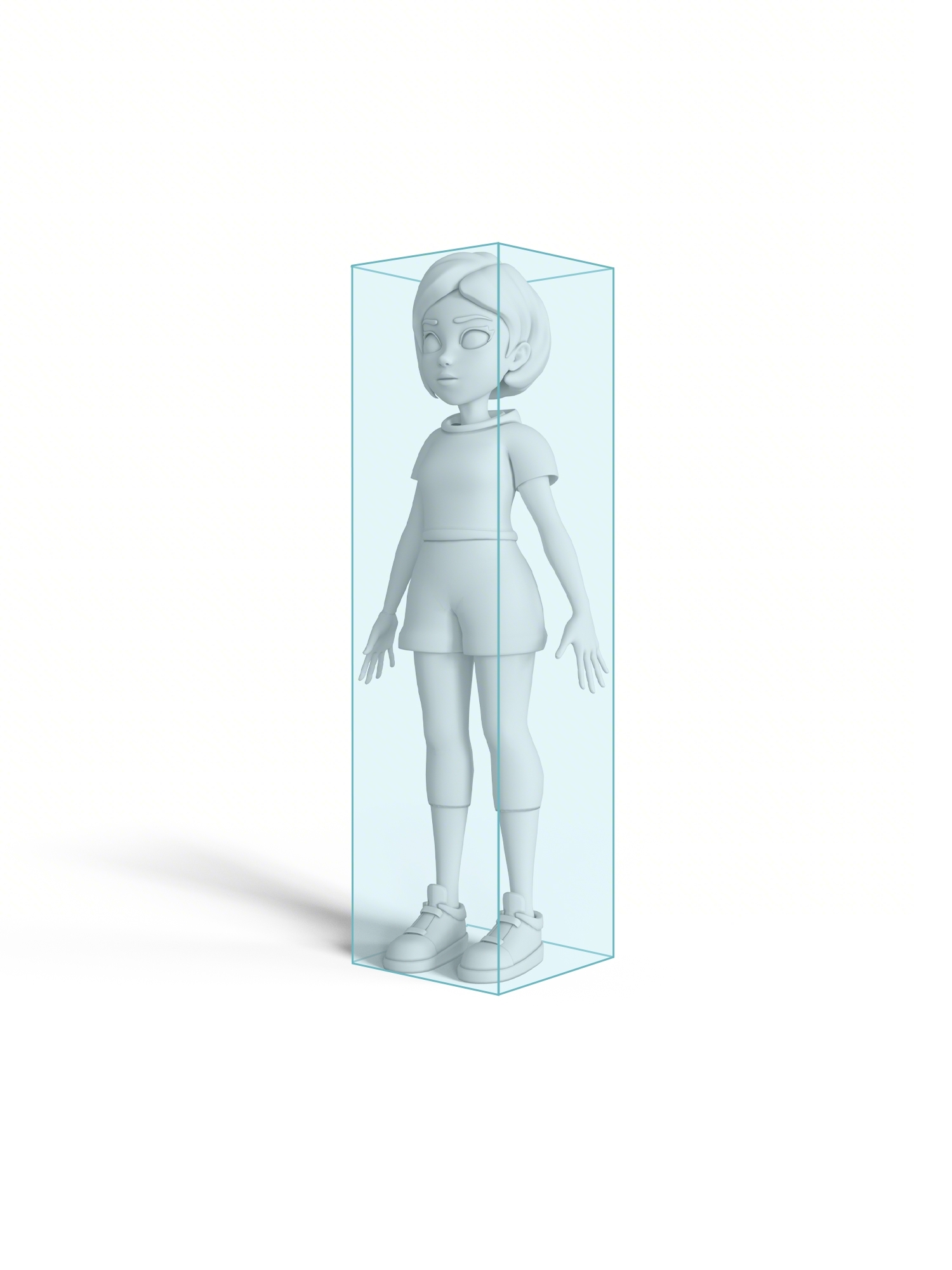
1) The Object has Collision Volume (Collision)
Configure a collision volume for the entity to define the spatial range where interactions can occur. Common related elements include:
CollisionComponent: Enables the collision volume for the entity.ShapeResource: Defines the collision shape (e.g., Box / Sphere / ConvexMesh).PhysicsMaterialResource: Collider material (default settings work for most interaction scenarios).
Common Configuration Methods:
- Bounding Box Generation (Box / Sphere): High configuration efficiency and low performance overhead. Suitable for rapid prototyping, regular geometry, or scenarios with a large number of objects.
- Mesh-based Generation (ConvexMesh): Fits the model contour more closely, resulting in more precise interactions. Suitable for objects requiring high accuracy for edge touching. You can use the PICO Spatial Editor to assist in setting up and adjusting the collision volume.
2) The Object is in an Interactable State (Interactable)
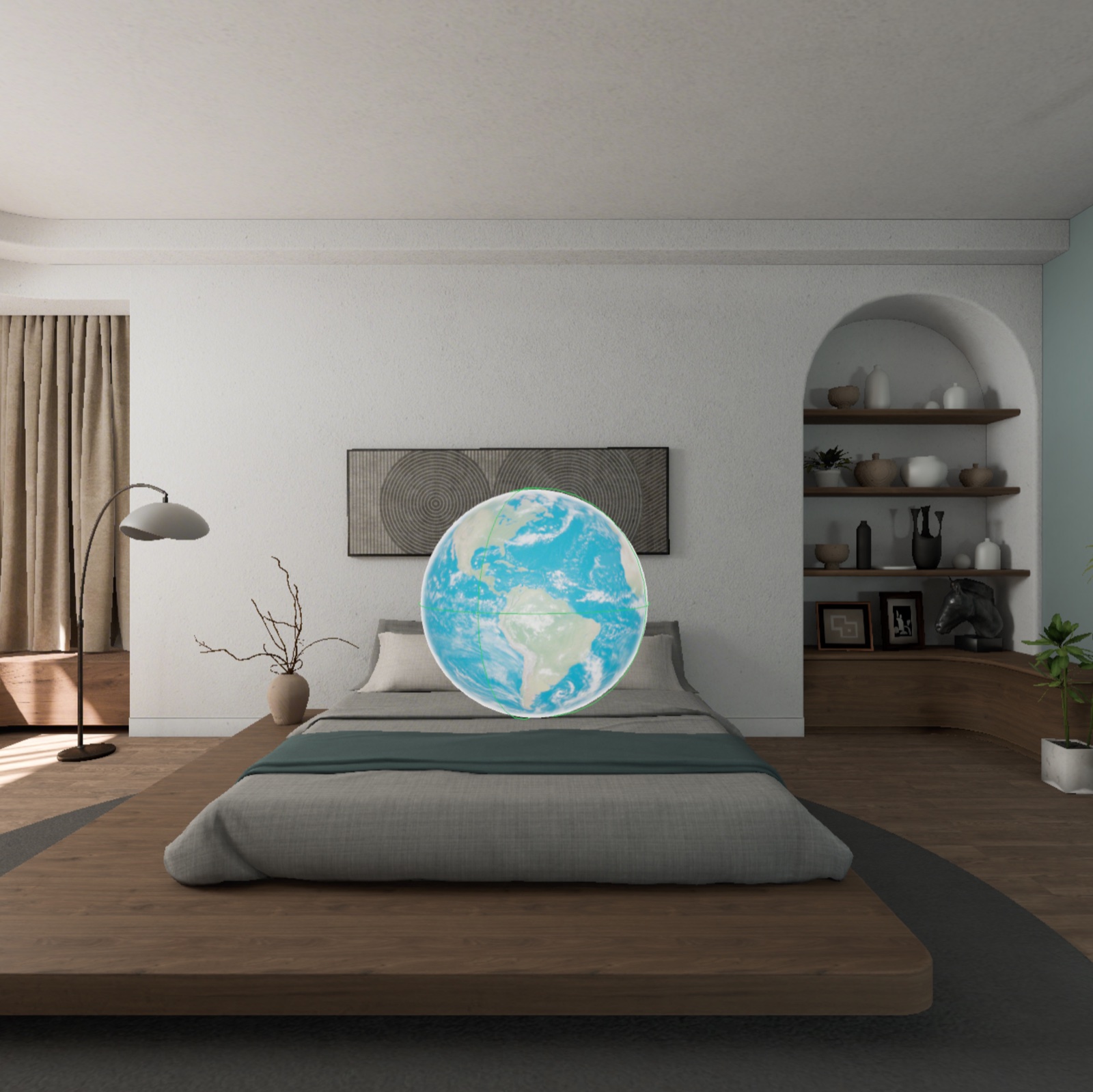
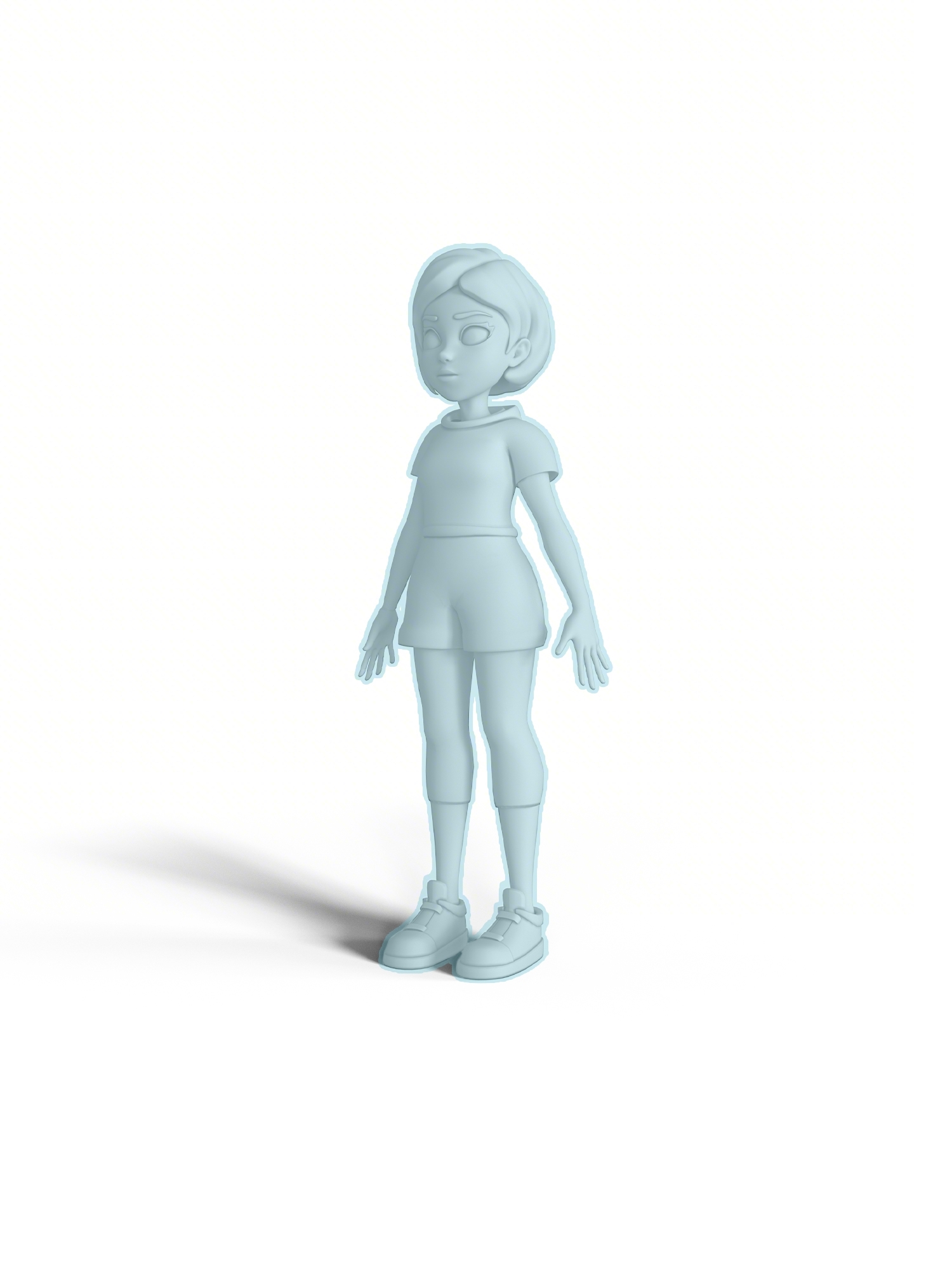
Building upon having a collision volume, the entity must also be set to an interactable state:
InteractableComponent: Marks the entity as interactable, enabling it to respond to input and gesture events from the interaction system.
This setup makes it easy to centrally manage interaction capabilities across different modes (e.g., disabling interactions in viewing mode, enabling them in editing mode), ensuring the object's operability aligns with the product's interaction strategy.
Interaction Actions: The detectSpatial* Gesture System
PICO OS 6 provides a set of core interfaces starting with detectSpatial* to capture the most common actions in spatial interaction. The design focus of these interfaces is not to "provide more gestures," but to allow developers to build interactions around stable action semantics: tapping handles triggering, dragging handles manipulation, two-handed gestures handle fine-tuning, and pointer events handle extensions.
| Interactive Gesture | Schematic Diagram | Specific Operation | Interface |
|---|---|---|---|
| Click | 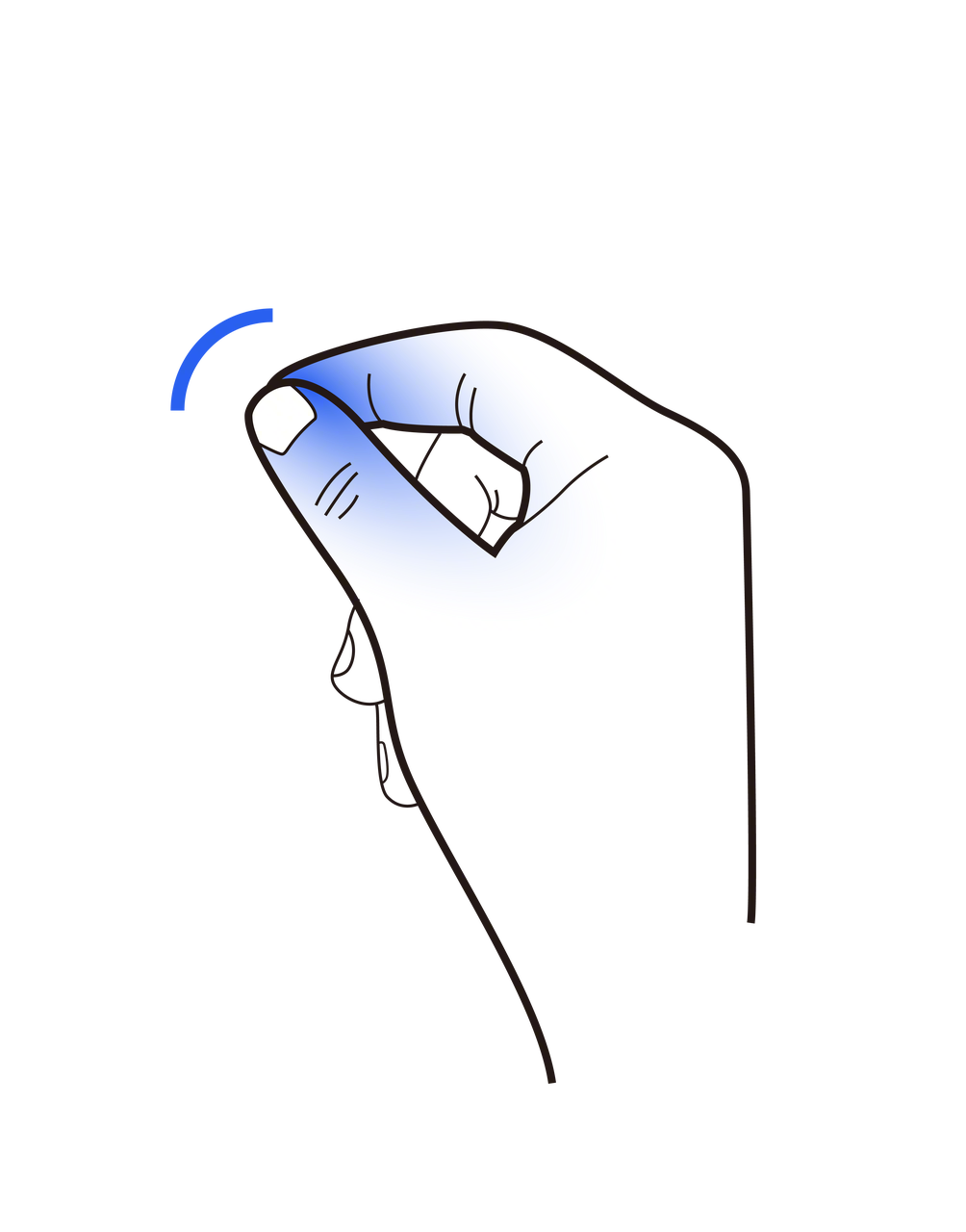 |
Single hand, quickly bring two fingers together and slightly open, simulating pinching an object | detectSpatialTapGesture() |
| Drag and Drop | 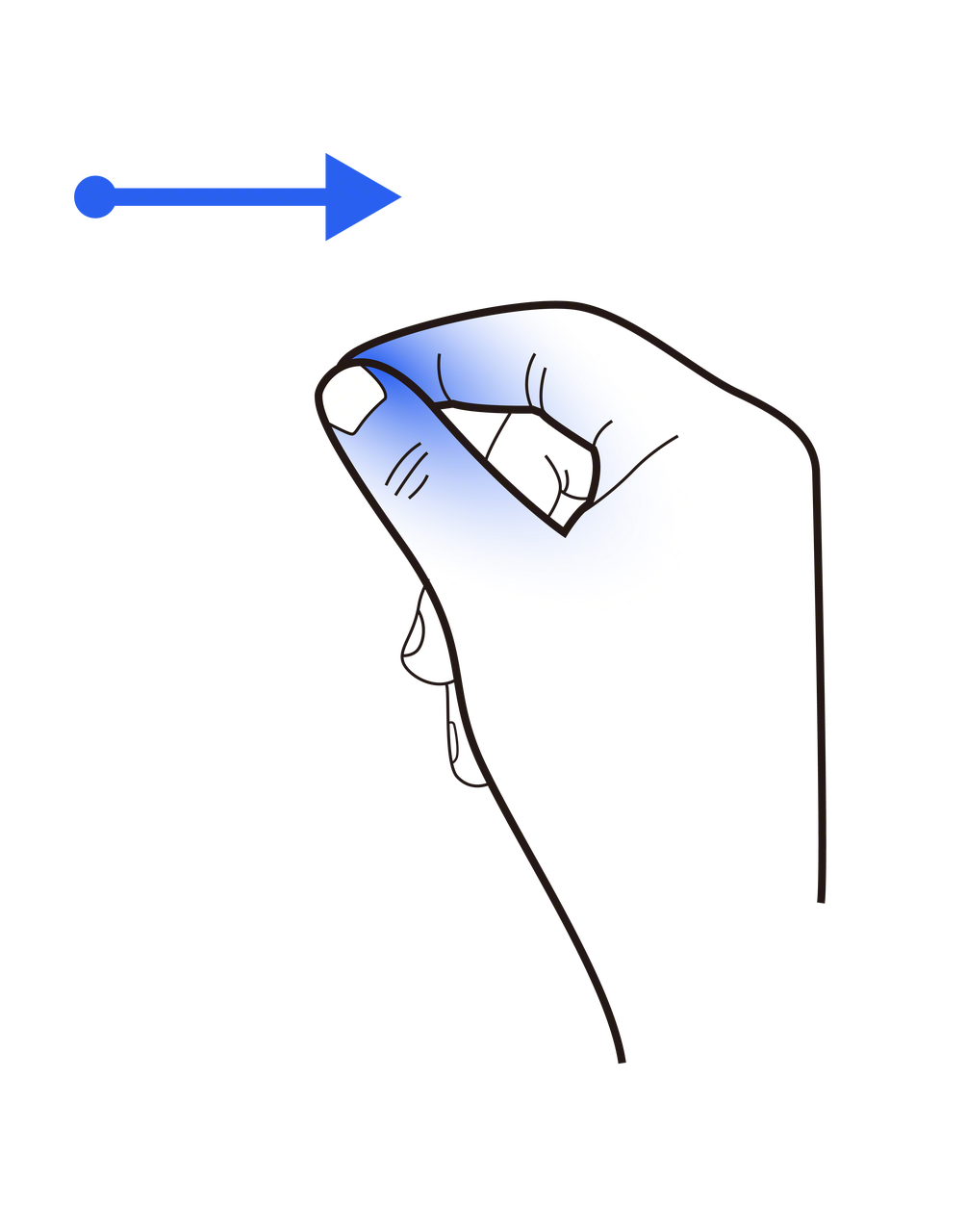 |
Single hand, bring two fingers together, pinch a point on the object, then move within space | detectSpatialDragGesture() |
| Zoom | 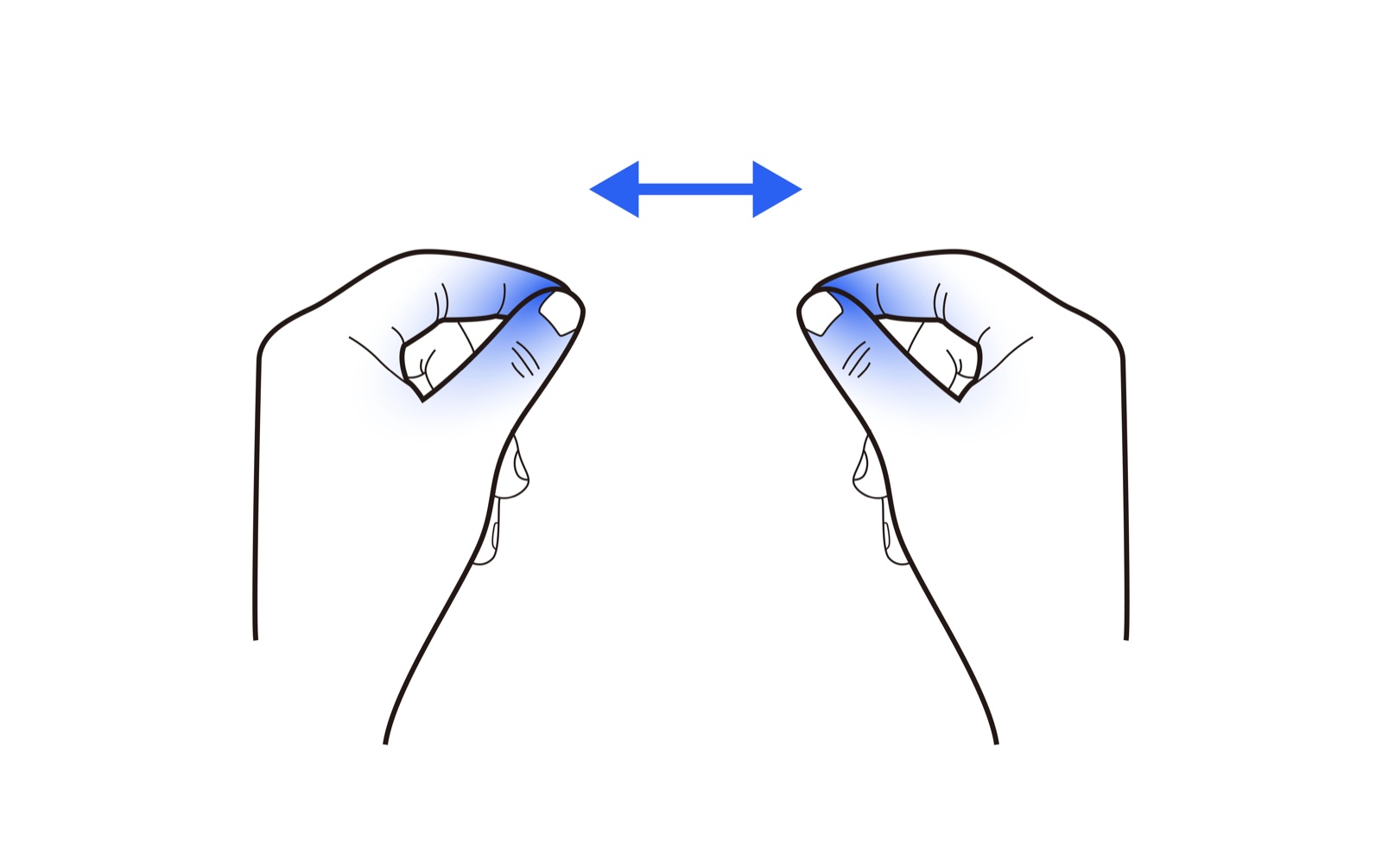 |
Two hands, pinch two points on the object, then move hands closer or further apart | detectSpatialScaleGesture() |
| Spin | 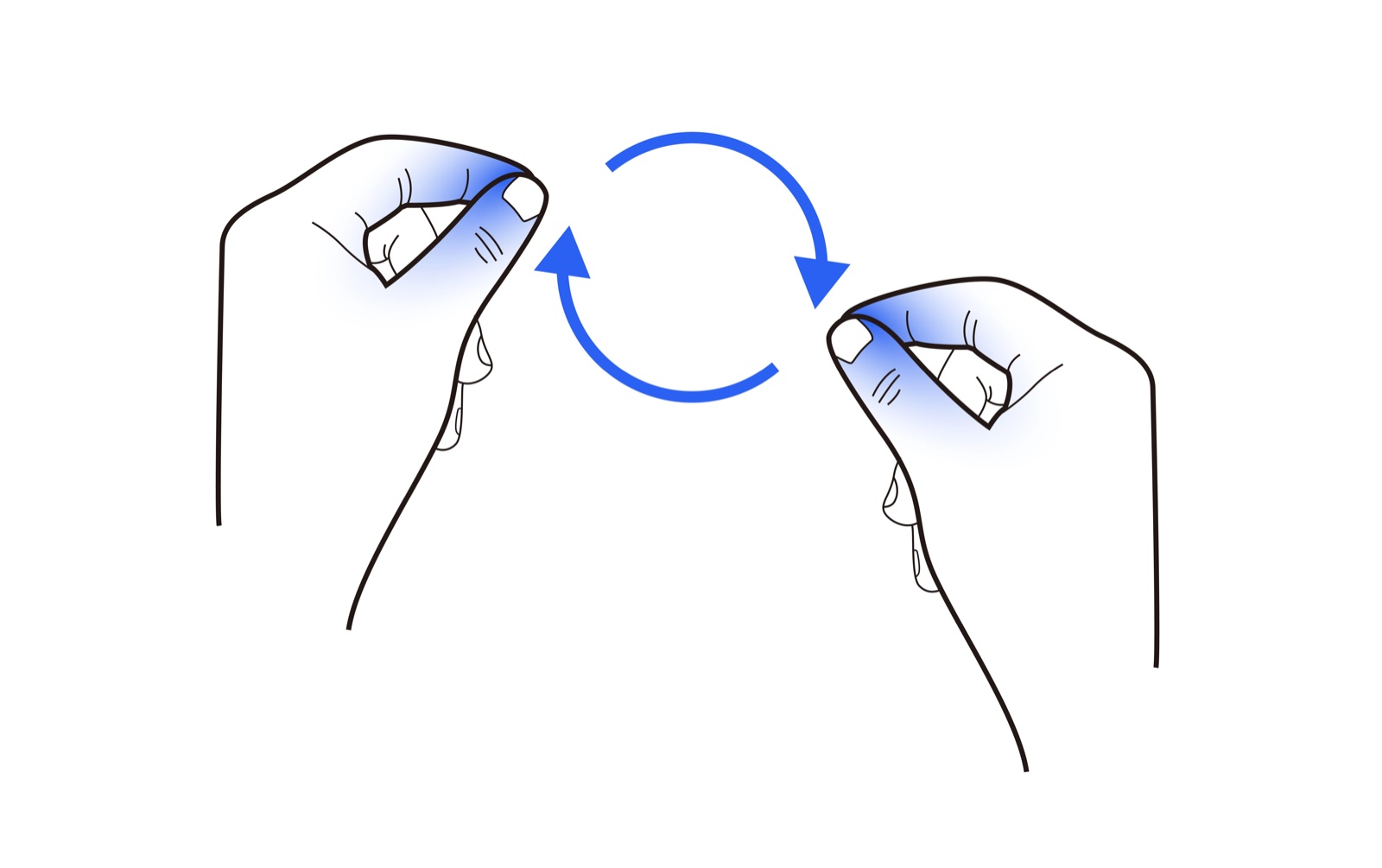 |
Two hands, pinch two points on the object, then rotate both hands clockwise or counterclockwise simultaneously | detectSpatialRotateGesture() |
| Custom Gesture | 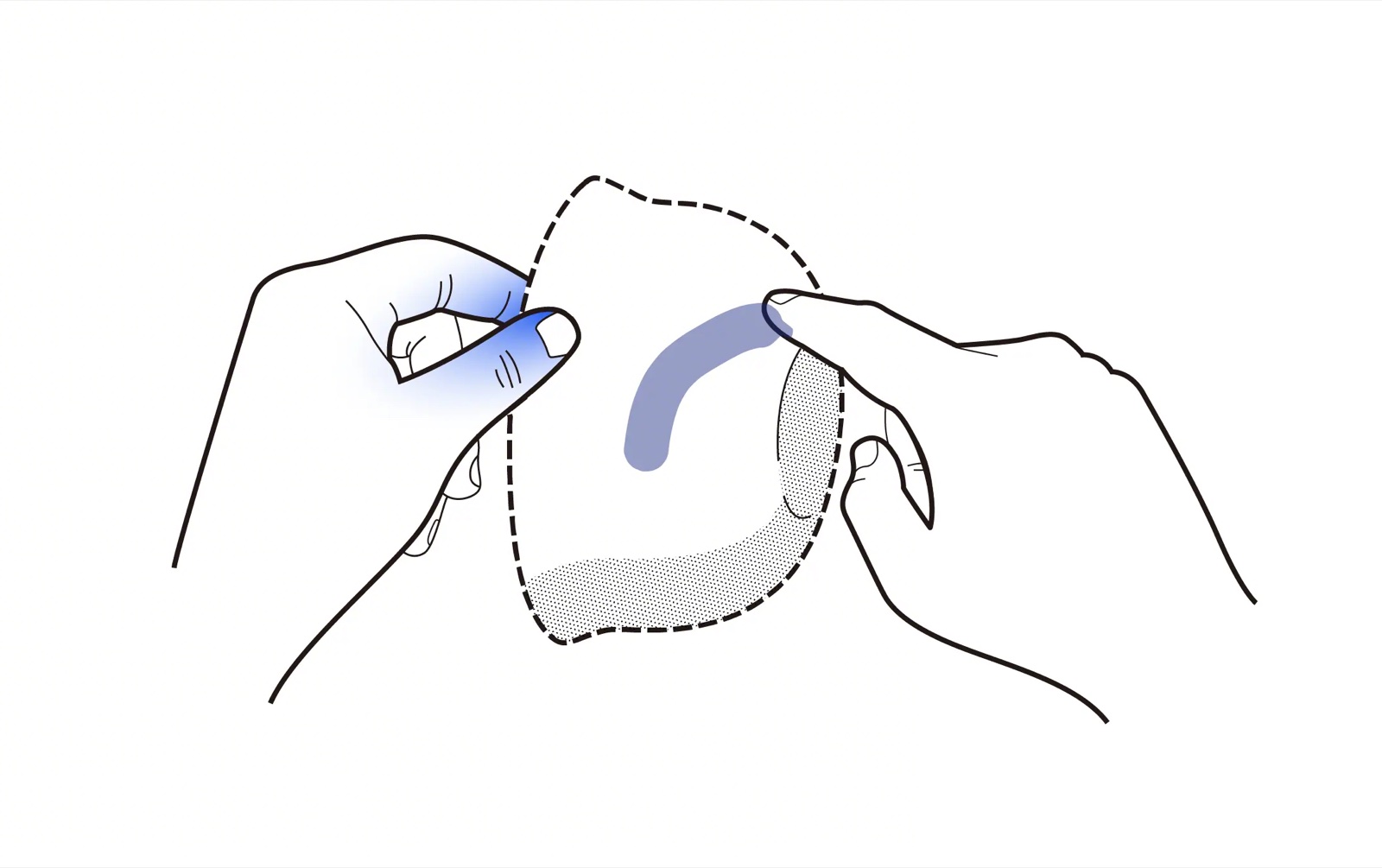 |
Two hands touch the object, then freely manipulate | detectSpatialPointerEvent() |
These interfaces are typically mounted on the SpatialView's Modifier.pointerInput: the same input paradigm can cover eye tracking, hand gestures, and controllers.
For applications, this significantly simplifies the engineering structure of "coexisting multiple inputs": you are mostly configuring "the semantics of the same action under different inputs" rather than copy-pasting multiple sets of interaction logic.
Coexistence of Multiple Gestures: One gesture per pointerInput
When an object needs to support Drag + Scale + Rotate simultaneously, it is recommended:
- Do NOT write multiple
detectSpatial*within the samepointerInputDSL. - DO use multiple chained
pointerInputs, where each scope is responsible for one gesture (Separate Drag / Scale / Rotate).
This avoids mutual interference caused by the exclusivity of internal gesture recognition. From an engineering maintenance perspective, this separation is also more suitable for future expansion: you can clearly enable/disable certain interactions, and it's easier to perform A/B tuning and locate conflicts.
Accurately Specifying the Interaction Object: TargetEntity
In complex scenarios (multiple interactable entities), you can limit the effective range of a gesture using the targetedToEntity parameter. This is especially crucial in apps with "multi-object editing / multi-level models / coexistence of UI and 3D", because accidental touches are highly destructive to the experience.
TargetEntity.hit(entity): Only effective for a specific entity and its sub-tree. Suitable for editor logic, like "only manipulate the selected object after selecting it".TargetEntity.any { predicate }: Effective for a class of entities that meet the condition.
This makes the behavior more aligned with user expectations (I only affect the object I'm operating on).
Interaction Types: InteractionKind
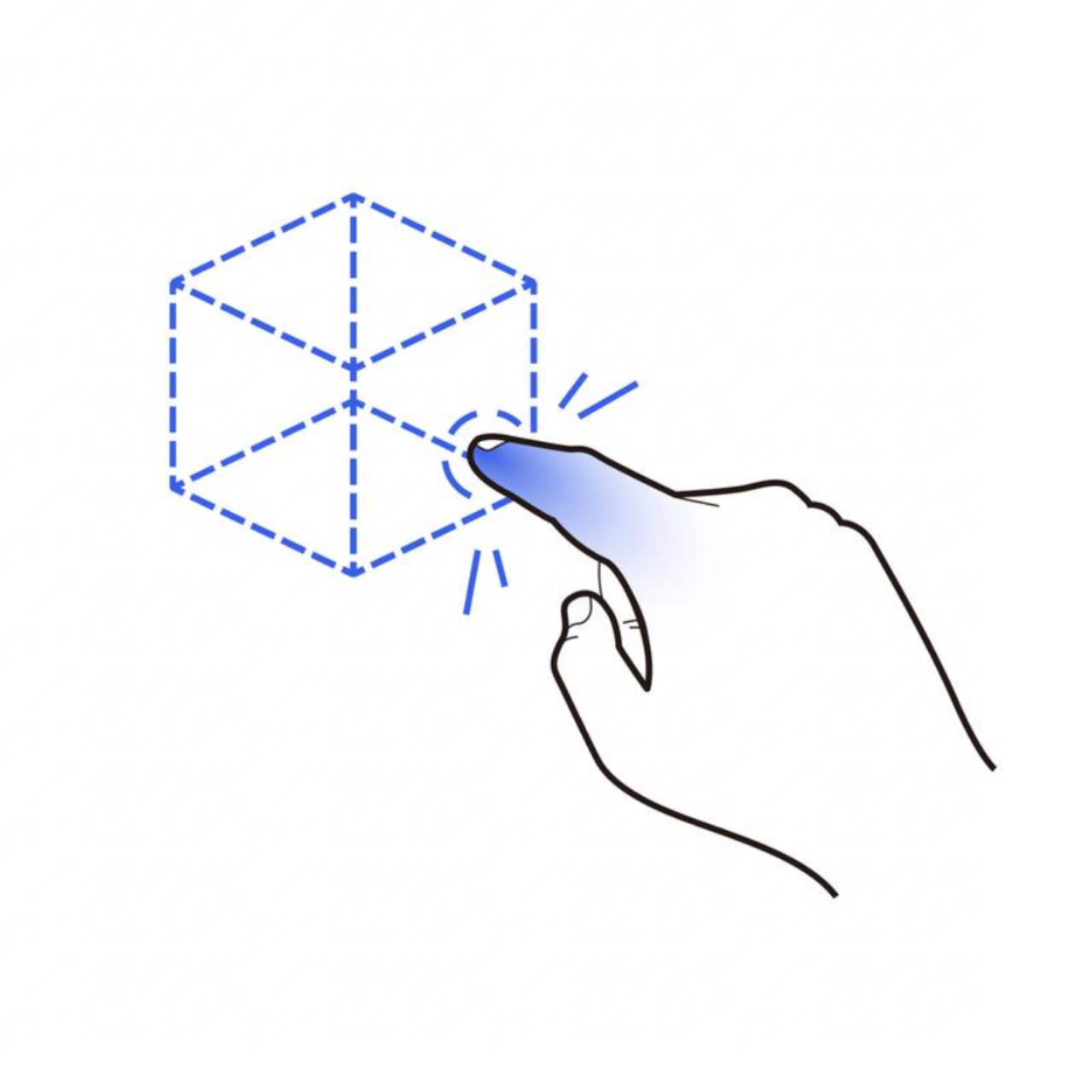
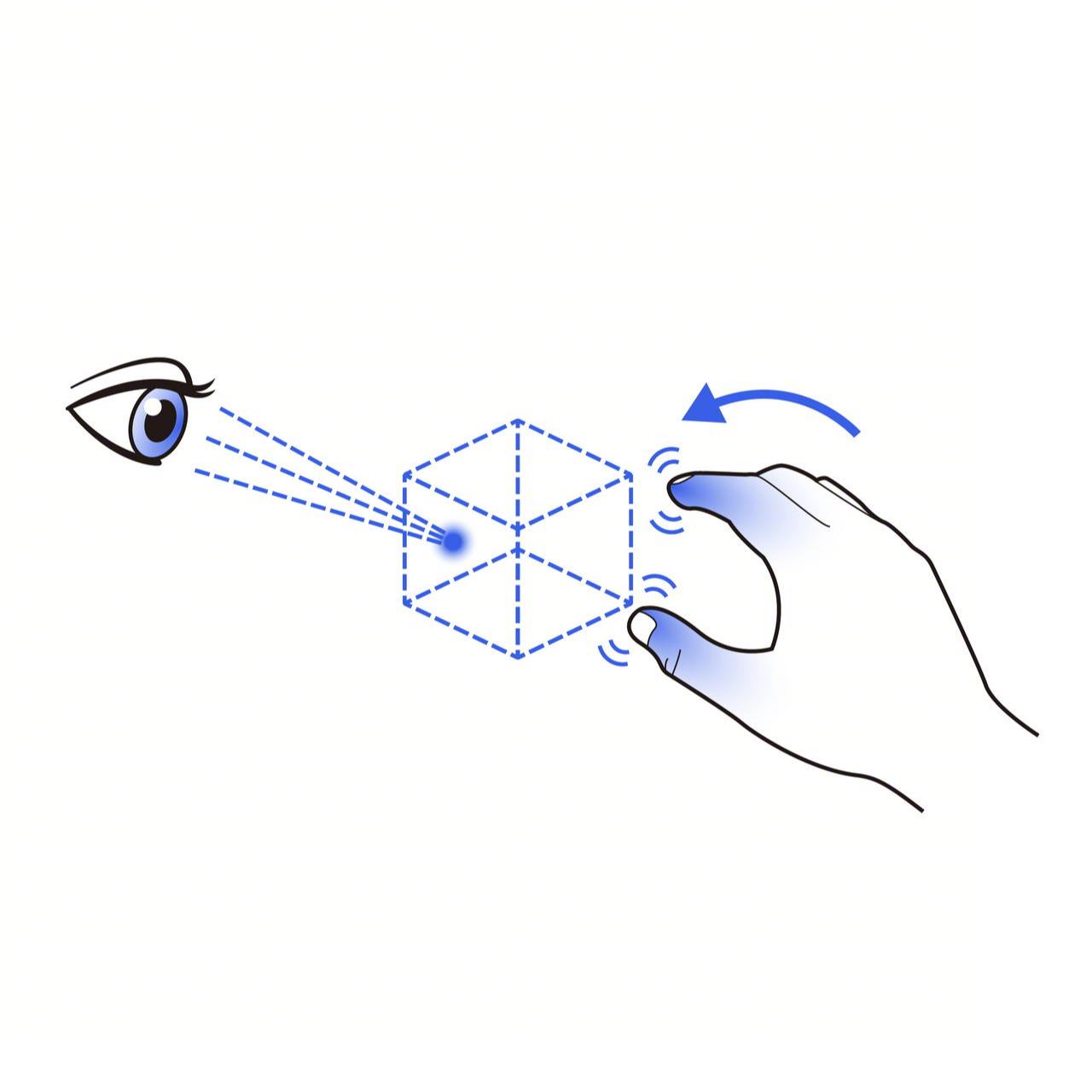
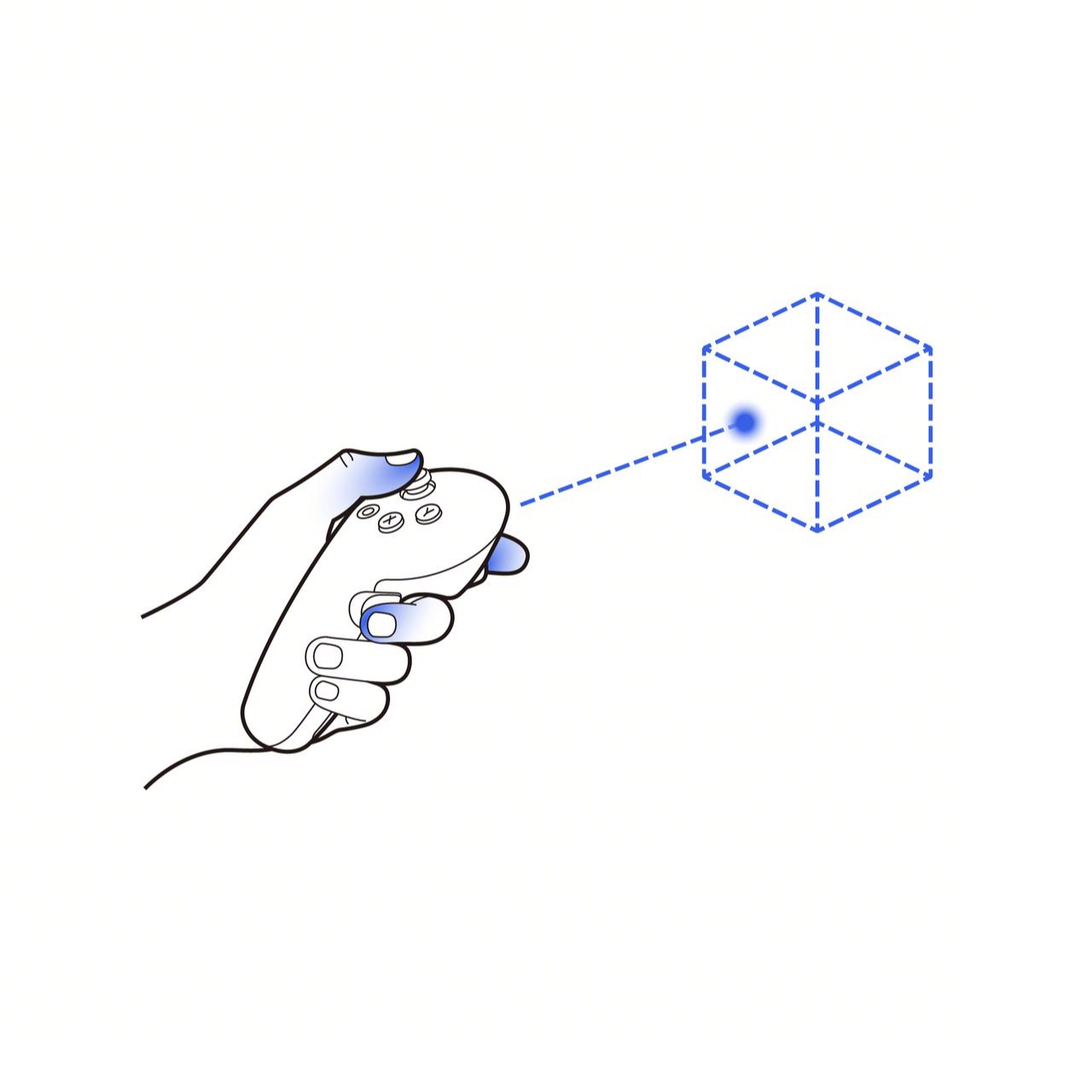
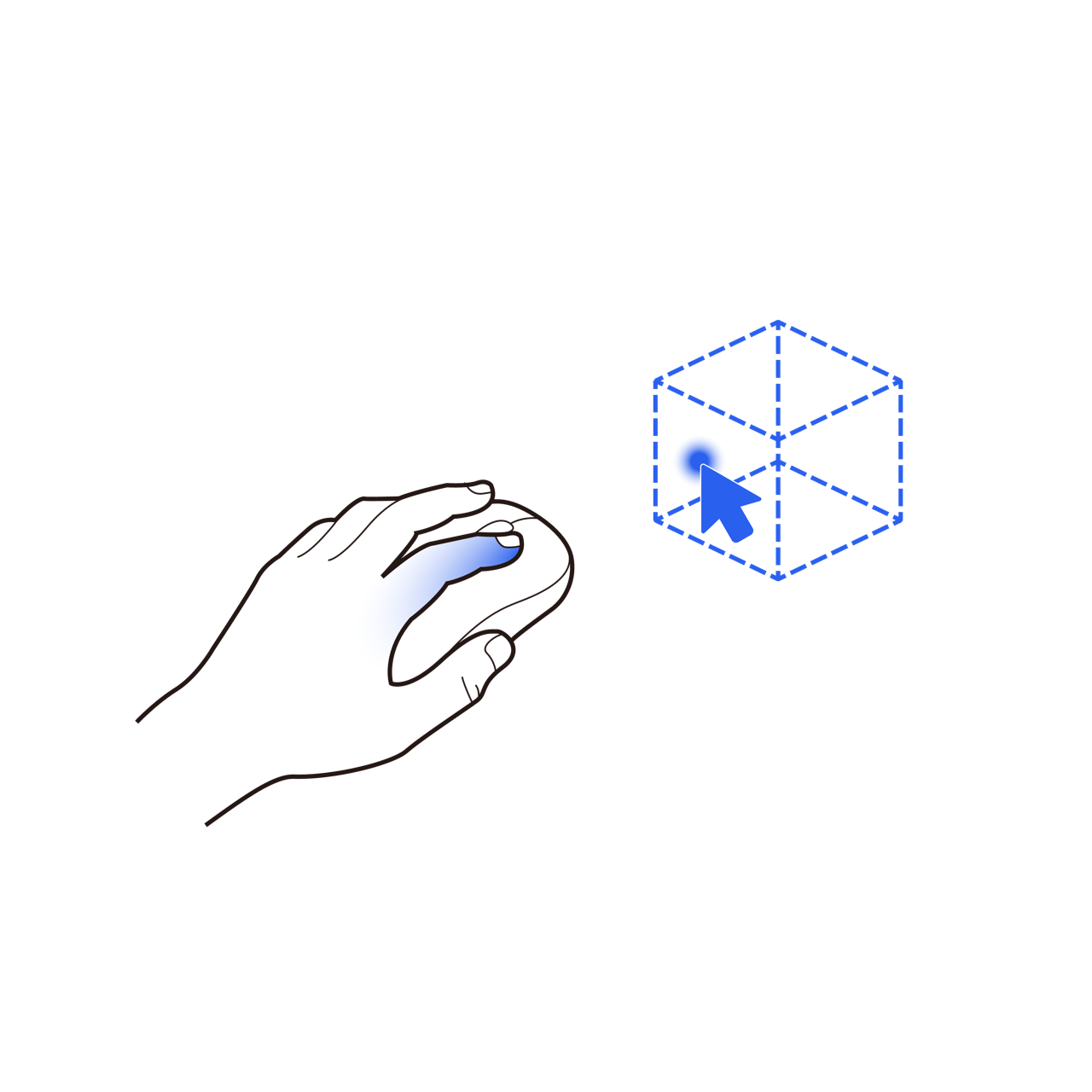
In some complex scenarios, the gesture action alone is not enough to distinguish the user's actual operation method; this is where we need to further determine the interaction type. Except for detectSpatialPointerEvent(), all interfaces starting with detectSpatial provide an InteractionKind in the callback to identify how the current operation was triggered.
- Single-hand:
interactionKind - Two-hand:
leftInteractionKind/rightInteractionKind
Common types include:
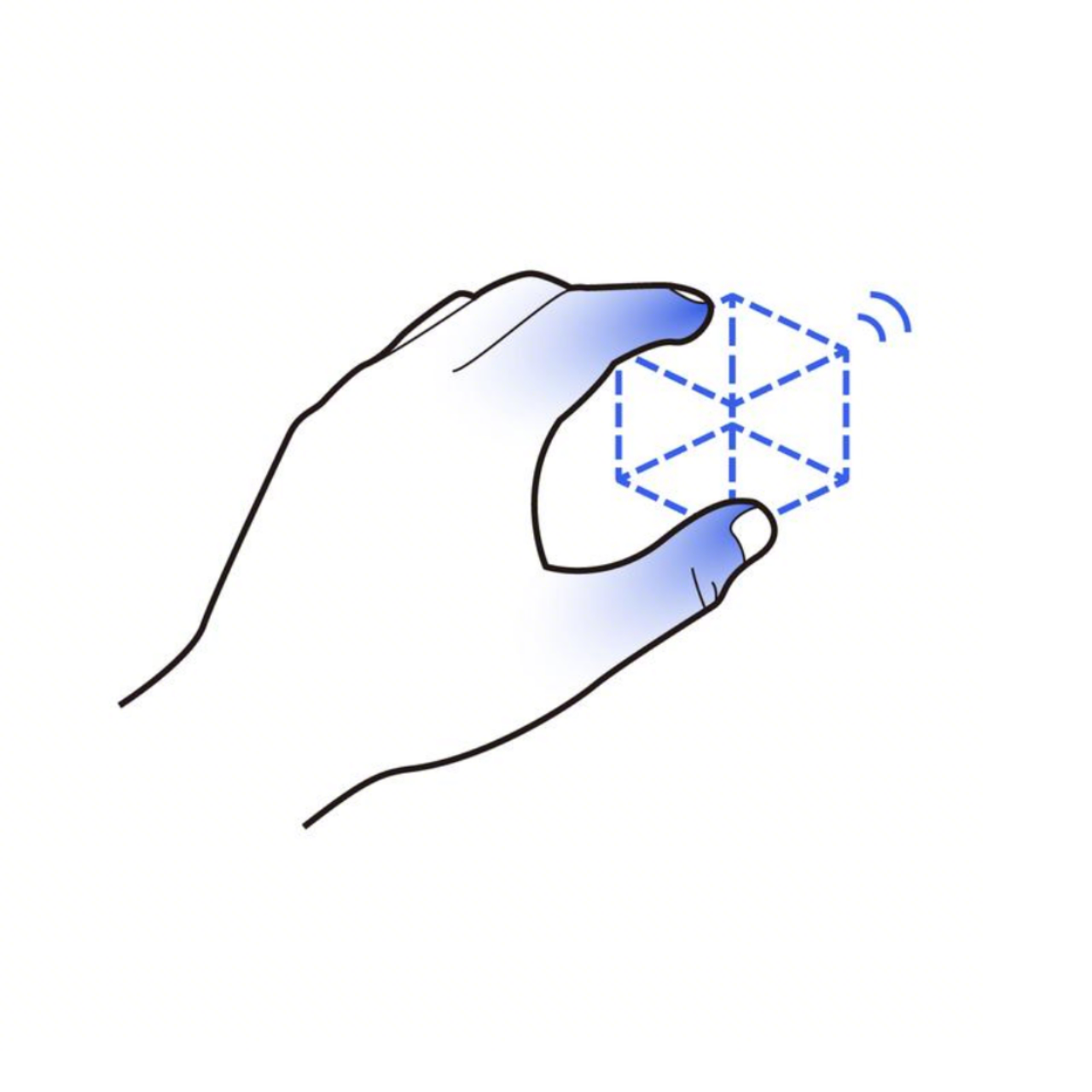
| Direct Pinch | Fingertip Touch/Poke | Gaze + Pinch | Controller Ray Click | Pointer Input |
|---|---|---|---|---|
 |
 |
 |
 |
 |
DirectPinch |
Poke |
GazePinch |
RayBasedPinch |
Pointer |
In practical development, the same gesture interface often needs to carry multiple operations. For example:
- Single-hand drag → used to move the object
- Single-hand swipe → used to rotate the object
Both of these operations can be implemented via detectSpatialDragGesture(). The key is to determine the current interaction method through InteractionKind, and thereby execute different logic. For example:
DirectPinch/GazePinch→ treated as "pinch to move"Poke→ treated as "poke to rotate"
DirectPinch and GazePinch implement dragging the object.
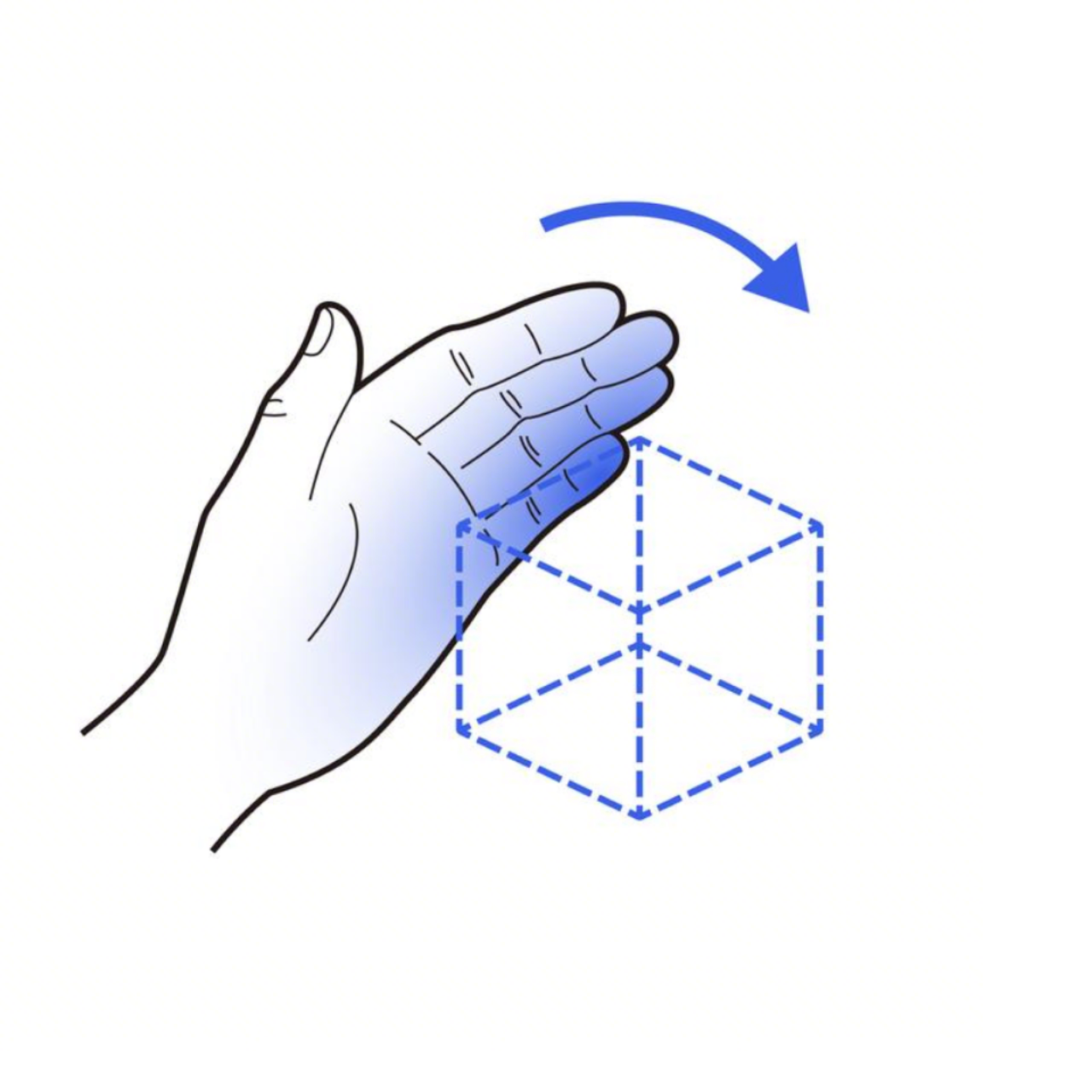
Poke implements rotating the object.Through this method, you can reuse the same gesture interface while allowing different operation methods to correspond to different effects, making the interaction more intuitive for the user.
Interaction Effects: Hover, Move, Scale, Rotate, and Momentum Poke
Interaction effects dictate the user's "feel": APIs can often make things move, but whether users find it easy to use depends on whether the feedback is clear, whether the behavior aligns with their expectations, and whether continuous operations are effortless.
Highlight Prompts: HoverEffectComponent (Crucial Feedback for Remote Interaction)
HoverEffectComponent: Triggers a preset highlight when the user's gaze or hand ray sweeps across an entity.- Applicability: Remote interactions such as eye-hand coordination (
GazePinch) and controller rays (RayBasedPinch), reducing fatigue and enhancing comprehensibility.
For remote interaction to work, it must solve the confirmation problem of "what am I operating right now?". Highlighting/hover is not merely decorative; it is the lowest-cost prompt layer for remote interaction. It makes users more confident to act, reduces hesitation and accidental touches, and significantly elevates the credibility of the overall interaction.
Move: Drag → Transform Position Update
- The
Dragcallback provides the displacement increment (commonly involving "unit conversion" and "coordinate system mapping"). - Common Tools/Types:
Offset3D,LocalPhysicalLengthConverter,LengthUnit.Meters. - Common Components:
TransformComponent.setPosition(...).
The most common experience issue with moving interactions is "sensitivity": too fast feels floaty, too slow feels tiring. It is recommended to design your movement mapping logic as adjustable parameters (e.g., speed coefficients, axis constraints, snapping strategies), so that different scenarios (showcase vs. editing) can have a different feel.
Scale: Scale → Transform Scale Update
- The
detectSpatialScaleGesture()callback provides the scale increment (vector or ratio). - Common Components:
TransformComponent.setScaleVector(...).
Scaling affects not only visual size but also the "perceived sensitivity" of subsequent interactions (the same hand displacement feels different on large versus small objects). Therefore, when building fine-tuning editing experiences, scaling and control sensitivity usually need to be considered in tandem rather than implemented independently.
Rotate: Two Routes (Choose based on experience)
A. Single-hand Drag Rotation (Reusing Drag)
- Applicability: Scenarios requiring single-hand operation, or where rotation coexists with other actions.
- Common Types:
Rotation3D,RotationAxis3D,NormalizedPoint3D. - Common Operations: Map displacement to a rotation increment, then convert it to a quaternion and update
TransformComponent.rotation.
The advantage of single-hand rotation is "motion saving": the user doesn't need to use both hands, making it suitable for mobile-style quick browsing and lightweight control. It is also more suitable to combine with intent distribution (e.g., pinch-to-move vs. poke-to-rotate).
B. Two-hand Rotation (Dedicated RotateGesture)
detectSpatialRotateGesture()directly provides the two-hand rotation increment.- Applicability: Higher precision, providing an experience more "like twisting an object with both hands in reality".
Two-hand rotation is better suited for scenarios requiring precise posture adjustments (e.g., placing, aligning, content editing). Users' expectations of it are also more akin to real-world operations: stable, controllable, and with fewer accidental touches.
Poke Rotation: Delayed Rotation / Momentum Rotation (More like a real globe)
For Poke (poking/flicking), if you continue to make it "rotate instantly following the hand," users will often feel it is "laggy/hard to turn." A more natural approach is:
- Accumulate the poke trajectory during the interaction.
- Inject angular velocity at the end of the interaction, allowing the object to continue spinning and decelerate with damping (giving a sense of momentum).
Common Components/Parameters:
RigidBodyComponent: Hands the object over to the physics engine (commonly: dynamic mode, locked translation, rotation only).angularDamping: Angular damping (simulates friction to control the deceleration feel).PhysicsVelocityComponent.angularVelocity: Injects angular velocity (to achieve momentum rotation).
Implementation Notes:
- Practice Detail: Clear the old velocity component when starting an interaction to prevent subsequent pokes from failing to take effect.
- Additional Note: Scale affects "feel sensitivity". It is recommended to link sensitivity to the object's current scale rather than using a fixed constant.
The value of momentum rotation is that it not only "looks cooler" but, more importantly, it makes large-angle rotations less effortful and more intuitive for the user. Additionally, for showcase-type content (models/products/globes/planets), it can significantly elevate the "realism" and premium feel of the product.
Conclusion: Tailored Interactions for Every Application
The core philosophy behind PICO OS 6 is that spatial interaction should never be one-size-fits-all. By providing a diverse and unified toolkit, we ensure that every type of application has the ideal interaction support it deserves:
- Remote Interaction (GazePinch / Ray): Best suited for long-duration browsing and media consumption. It reduces physical fatigue and provides clear focus via the
HoverEffectComponent. - Single-Hand Gestures (DirectPinch / Swipe): Ideal for lightweight control and rapid content browsing. It offers "motion-saving" efficiency for casual, everyday tasks.
- Two-Hand Precision (Rotate / Scale): Designed for professional creative tools and 3D content editing where precise posture adjustment is key. It provides high stability and control with significantly fewer accidental touches.
- Momentum Poke (Flicking / Poking): Perfect for product showcases, interactive globes, and immersive models. It delivers a sense of real-world physics and premium product texture.
PICO OS 6 is more than just a set of APIs; it is a commitment to a consistent, intuitive, and high-quality spatial ecosystem. By unifying eye tracking, hand gestures, and controllers into a single input paradigm, we are empowering developers to build applications where the interaction always feels exactly right, no matter the use case.
Learn more: Implement basic interactions for 3D objects